

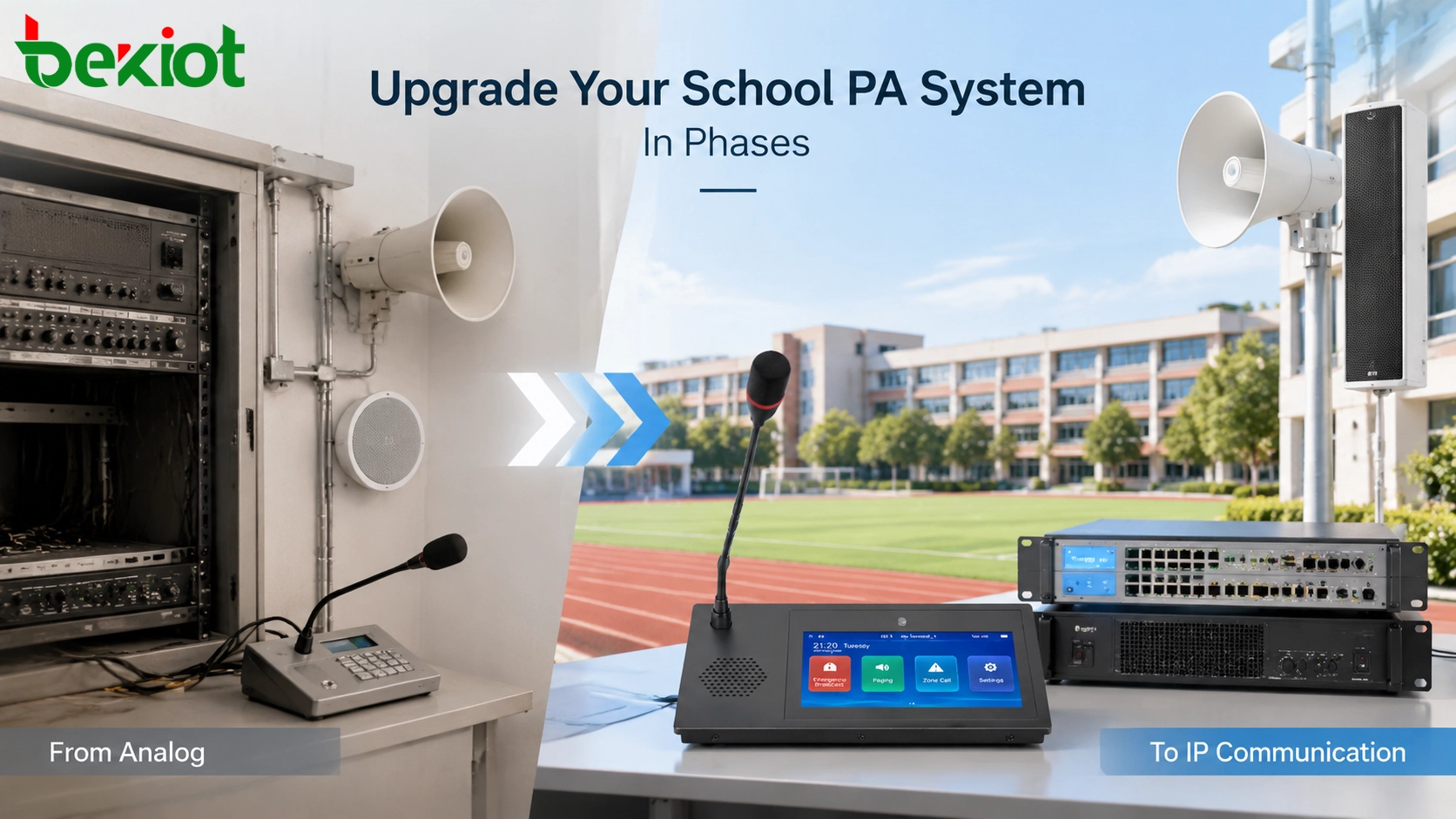
Many schools continue to operate traditional analog PA systems installed years ago. These systems can still support daily announcements, but expanding coverage, managing multiple buildings and integrating modern communication functions can become increasingly difficult over time.
A complete replacement is not always the most practical approach. A phased upgrade can introduce IP paging while keeping suitable amplifiers, speakers and cabling in service. Its success depends on confirming what can be reused, testing a representative hybrid zone and protecting the school’s communication arrangements at each cutover.
The goal is a maintainable communication system that meets the school’s needs. A supported hybrid design may remain the final arrangement if it meets coverage, operational and lifecycle requirements.
Why Schools Upgrade Traditional PA Systems
Traditional analog PA systems usually follow a simple structure: a microphone sends audio to an amplifier, and the amplifier distributes signals through dedicated speaker cables to different areas. This design can provide reliable announcements, but it becomes harder to manage when schools add new buildings, require more broadcast zones or need communication with specific locations.
Common limitations of older PA systems include:
Limited zone control when announcements need to target specific areas.
Difficulty expanding coverage to newly constructed buildings.
Limited remote management and centralized control capabilities.
Challenges connecting PA communication with other campus systems.
Modern schools often require more than basic announcements. Administrators may need separate communication for classrooms, playgrounds, sports facilities, dormitories or administrative buildings. Security teams may need direct communication with specific areas, while operators may need a clearer overview of campus communication resources.
Choose the upgrade scope from actual shortcomings: failed equipment, unclear messages, a new building, different bell schedules or inadequate zone selection. Network connectivity alone will not correct poor speaker coverage or deteriorated wiring.
Phase 1: Assess the Existing PA Infrastructure
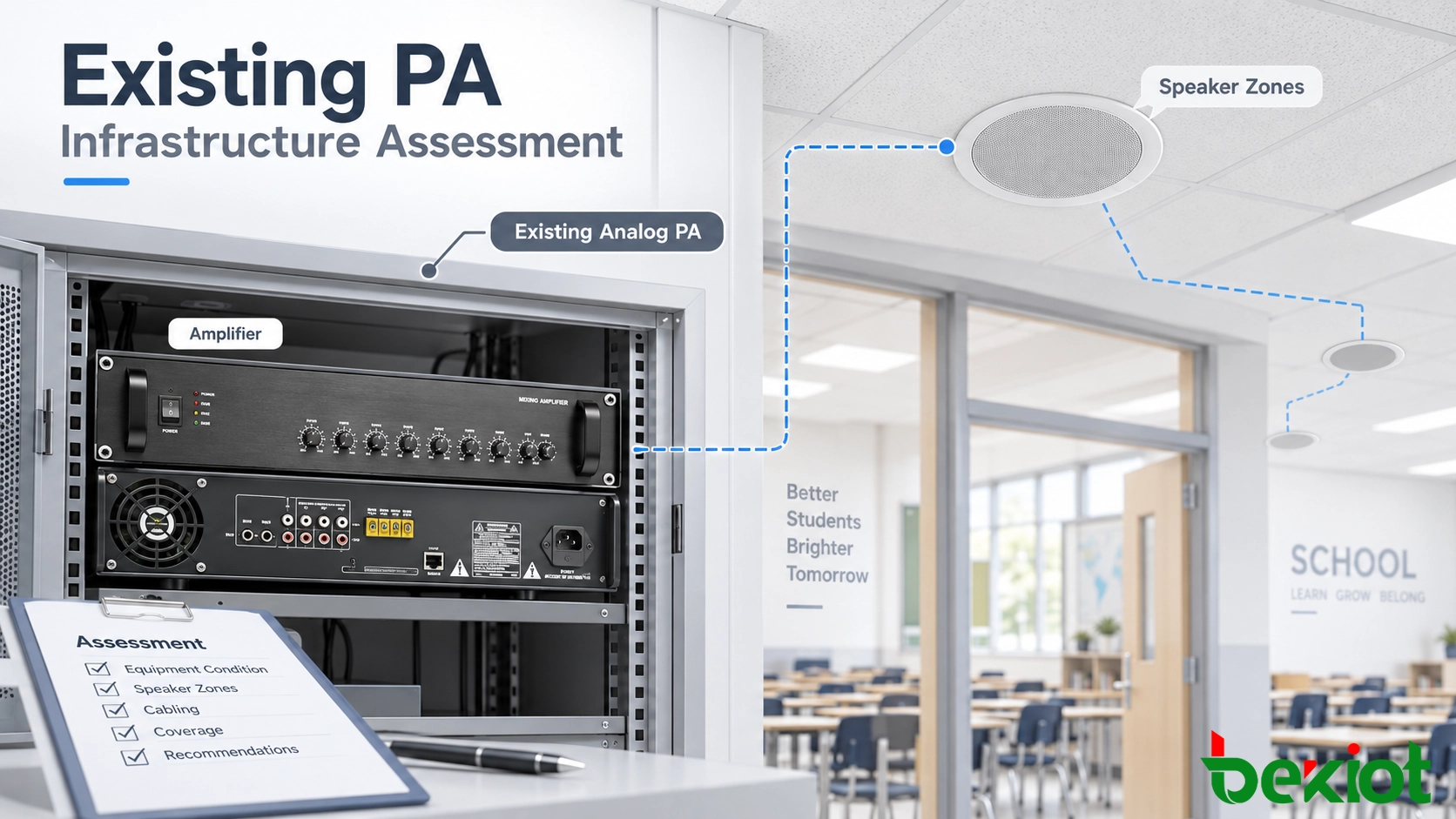
The first step in an upgrade project is understanding the current system. Replacing equipment immediately without evaluating existing infrastructure may increase unnecessary costs and create avoidable installation challenges.
Prepare an asset and dependency record before selecting equipment:
Amplifier models, usable inputs, rated outputs, existing loads, service condition and supported priority or fault interfaces.
Speaker locations, circuit type, cable condition and actual areas served by each circuit.
Current microphones, zone selectors, bell controllers, schedules and emergency interfaces.
Network and power availability in each building, including switch power budgets and the equipment dependent on backup power.
Future buildings, accessibility needs, maintenance ownership and required integrations.
Many schools focus first on selecting new equipment, but the existing audio infrastructure often determines the most practical migration path. Speaker condition, cable quality, amplifier output, impedance matching, background noise and coverage requirements can directly influence the final system design.
Classify each asset as retain, repair, replace or investigate, with a reason and responsible person. A qualified audio/electrical technician should check amplifier loading, speaker circuit compatibility and cable condition using the equipment documentation and appropriate isolation procedures. An unknown circuit is not approved for reuse merely because it currently makes sound.
Agree a baseline test while the original system is intact: normal microphone announcements, bell schedules, target-zone selection and any existing emergency interface. Record defects so they are not mistaken for problems introduced by the upgrade.
Phase 1 handover: an approved reuse list, zone/circuit map, baseline results and a cutover plan identifying the temporary communication method if the new path cannot be accepted.
Phase 2: Introduce IP Paging Alongside Existing Equipment
Start with a representative pilot zone where the old service can be restored safely. Introducing network control at an amplifier input is different from replacing that amplifier with an IP amplifier or installing individual IP speakers.
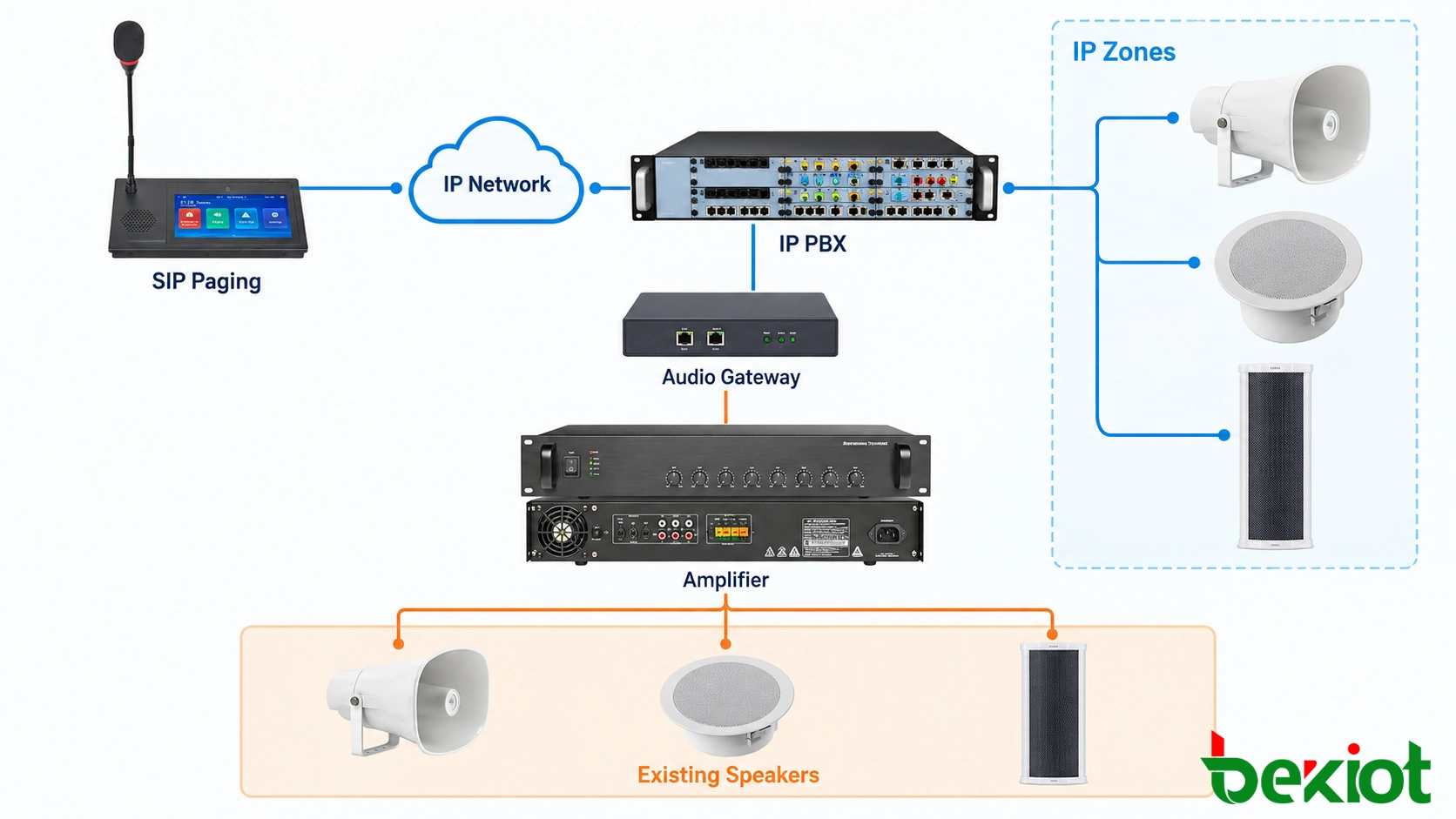
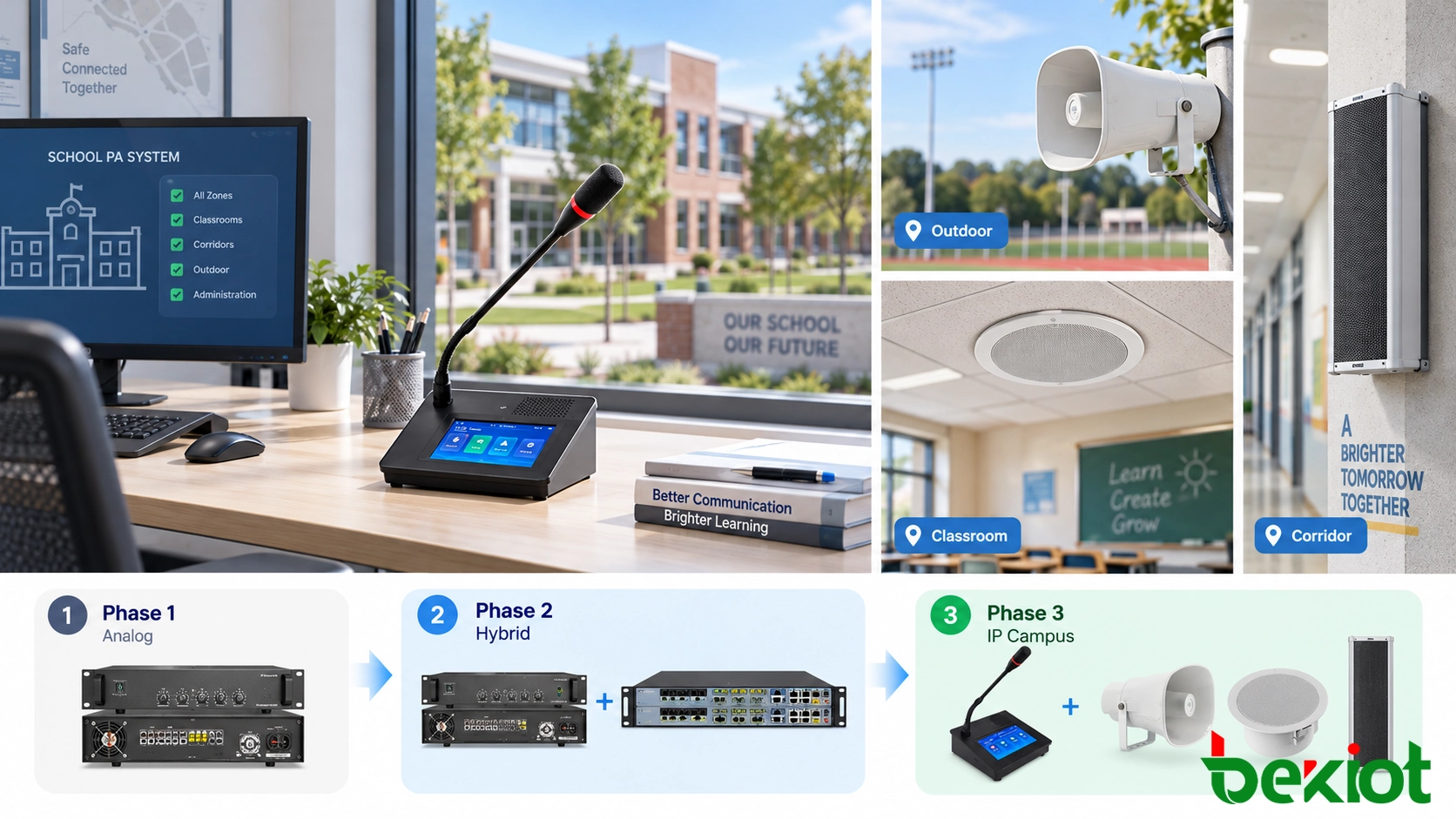
A hybrid architecture allows new IP-based devices to work alongside existing audio infrastructure through suitable interfaces. This approach helps schools gain new functions without immediately rebuilding the entire PA network.
Select the transition point that fits the retained assets:
| Upgrade path | What may remain | What must be confirmed |
|---|---|---|
| Audio gateway into an existing amplifier | Amplifier and compatible speaker circuits | Audio input/output compatibility, zone selection and priority interface |
| Network amplifier replacing an old amplifier | Compatible passive speakers and circuits | Output type, loading, protection and required supervision |
| New IP speakers in selected areas | Unaffected analog zones | Network, local or PoE power, media support and coordinated paging |
One possible hybrid path is: paging microphone → IP network and paging service → audio gateway → compatible amplifier input → existing speaker circuits. New network speakers may use a separate media path controlled by the same application.
RFC 3261 (June 2002), Section 2, describes SIP as a signaling component, not a complete service. Bell scheduling, group control, monitoring and priority arbitration must be provided by the selected platform and supported interfaces; SIP registration alone proves none of them.
A single gateway feeding one amplifier input does not automatically create independent classroom zones. If several rooms share an inseparable speaker circuit, they still receive that circuit’s audio together. Additional controlled outputs, a suitable existing zone controller or circuit changes may be needed.
Becke Telcom’s SIP paging microphones and SIP speakers are relevant equipment categories. Select an exact model and firmware only after checking the proposed platform, transport, power and control requirements.
Phase 2 handover: demonstrate complete live speech, scheduled audio where required, correct zone selection, conflict handling and restoration of the original service. A successful call to the gateway is not proof of output from every retained speaker.
Phase 3: Expand Zones and Centralized Control
After the pilot passes, expand building by building using the approved circuit map. Software grouping can combine addressable endpoints, but the smallest independently selectable area is still limited by the installed outputs and wiring.
Classroom buildings, outdoor areas, sports facilities, dormitories and administrative offices often need different schedules and paging permissions. Keep the detailed school paging zone plan separate from the migration schedule, then check that each phase delivers the planned control boundaries.
With centralized control, authorized operators can send announcements only to the required areas instead of broadcasting across the entire campus. This improves daily communication efficiency and reduces unnecessary interruptions.
Before adding a building, confirm server and licensing limits, concurrent media capacity, switch ports and power, and the path between network segments. If multicast is proposed, verify forwarding across the actual campus network. Adding devices does not by itself reserve bandwidth or make an inaccessible network segment reachable.
Define what monitoring can actually detect. A registered gateway may remain online while its analog amplifier or speaker line has failed. Record any unsupervised elements and the field checks needed to cover that gap. Assign IT and facilities teams clear responsibilities for network faults and audio hardware faults.
Phase 3 handover: retest both upgraded and retained buildings from the normal operator interface, then update configuration backups, drawings, staff instructions and the list of outstanding defects.
Phase 4: Extend Communication Capabilities
As schools modernize their communication infrastructure, the PA system can become part of a wider campus communication environment. Instead of operating only as an isolated announcement tool, it can connect with other approved communication systems according to project requirements.
Possible integrations may include:
SIP intercom systems.
Security communication terminals.
Operator communication stations.
Notification and coordination platforms.
For example, a security team may need a two-way call to a building while administrators page selected areas. This requires suitable intercom endpoints and call-control functions; a passive PA speaker does not gain a return-audio path through a software update.
Priority announcements and communication workflows should follow the school’s approved procedures. An IP paging installation is not automatically a replacement for a regulated fire alarm or voice evacuation system. Changes to an existing life-safety interface require the responsible designer and approving authority to assess the applicable local requirements.
Planning a Smooth Migration Without Full Replacement
A phased migration is useful when each stage leaves a defined, usable service. It may be unsuitable where retained equipment is unsafe, unsupported or incapable of meeting the required functions. Compare the total costs of maintaining a hybrid system with a replacement project before committing to the sequence.
For every cutover, document the operating window, affected zones, responsible staff, temporary warning arrangements, acceptance checks and the condition that triggers rollback. Preserve a tested recovery configuration; do not remove the old working path before the replacement and fallback arrangements have been demonstrated.
Test zone selection and exclusion, complete spoken messages, device availability, overlapping audio requests and bell calendar exceptions. Where power, uplink or server failure tests are part of the approved plan, record which service remains available and how it recovers. Backing up only the server is insufficient if switches, gateways or amplifiers lose power.
Assess speech at occupied listening positions under representative conditions, including noisy and reverberant areas. IEC 60268-16:2020, corrected version 2025-07, defines STI measurement methods; its published scope does not set universal voice-alarm certification criteria. Agree the applicable acceptance criteria and measurement method before testing.
Retain the observed results, configuration revision, witnesses and unresolved items for each stage. Train office, security and maintenance staff on normal use, fault reporting and the approved alternative communication method before handover.
FAQs
Can existing classroom call-back functions be retained?
Only after identifying how the original call-back circuit, microphone and call buttons operate. A gateway designed only to feed an amplifier may preserve announcements but not two-way classroom calls. Include the return path and call indication in the pilot tests.
Can the old bell controller stay active during migration?
It can if its responsibility is defined. Avoid two controllers triggering the same zones unintentionally. Assign one active schedule owner per zone, check holidays and time settings, and test transfer to the new scheduler before disabling the old one.
What should the school budget for beyond endpoints?
Include surveys, interface engineering, network and power changes, software or licenses, installation windows, testing, staff training, spares and ongoing support. Compare these project-specific costs; speaker reuse alone does not establish the least expensive lifecycle option.
Does local paging continue if the Internet connection fails?
That depends on service dependencies. A locally hosted paging system may work without Internet access, while a cloud-controlled workflow may not. Verify where call control, authentication, scheduling and audio files reside and test the required outage scenario.
When can a retired amplifier or controller be removed?
After its replacement has passed the agreed acceptance checks, rollback is no longer needed, and all dependent paging, bell, call-back or emergency functions have been accounted for. Update drawings and asset records before disposal or transfer.